
Book an Eye Exam
Two ways to get started. To book an eye exam - whether you're new or returning - just request a time online; no account needed. Existing patients can also log in to the patient portal for their records and live booking.
Book an appointment
New or returning patients.
- Request a time online and our team confirms it with you.
- No account or login needed.
- The simplest way to get booked in.
Access your health records
Real-time booking and your records, all in one place.
- Log in for live access to our calendar and book a real-time slot.
- View your prescriptions, receipts, and past visits.
- Your username is your email address.
Patient portal help
There are two reasons the first login can go wrong. Find the one that sounds like you.
If you have not used our records portal before
Access has to be switched on for your account, so you may not be able to log in yet - and there is nothing you can do about that from your end. Call or text us at 416-703-2797 and we will turn it on for you. Once it is on, you can get at your records yourself any time.
If you used our old portal
We have moved to a new one. Your records carry over - there is just a one-time step that links them to your new login.
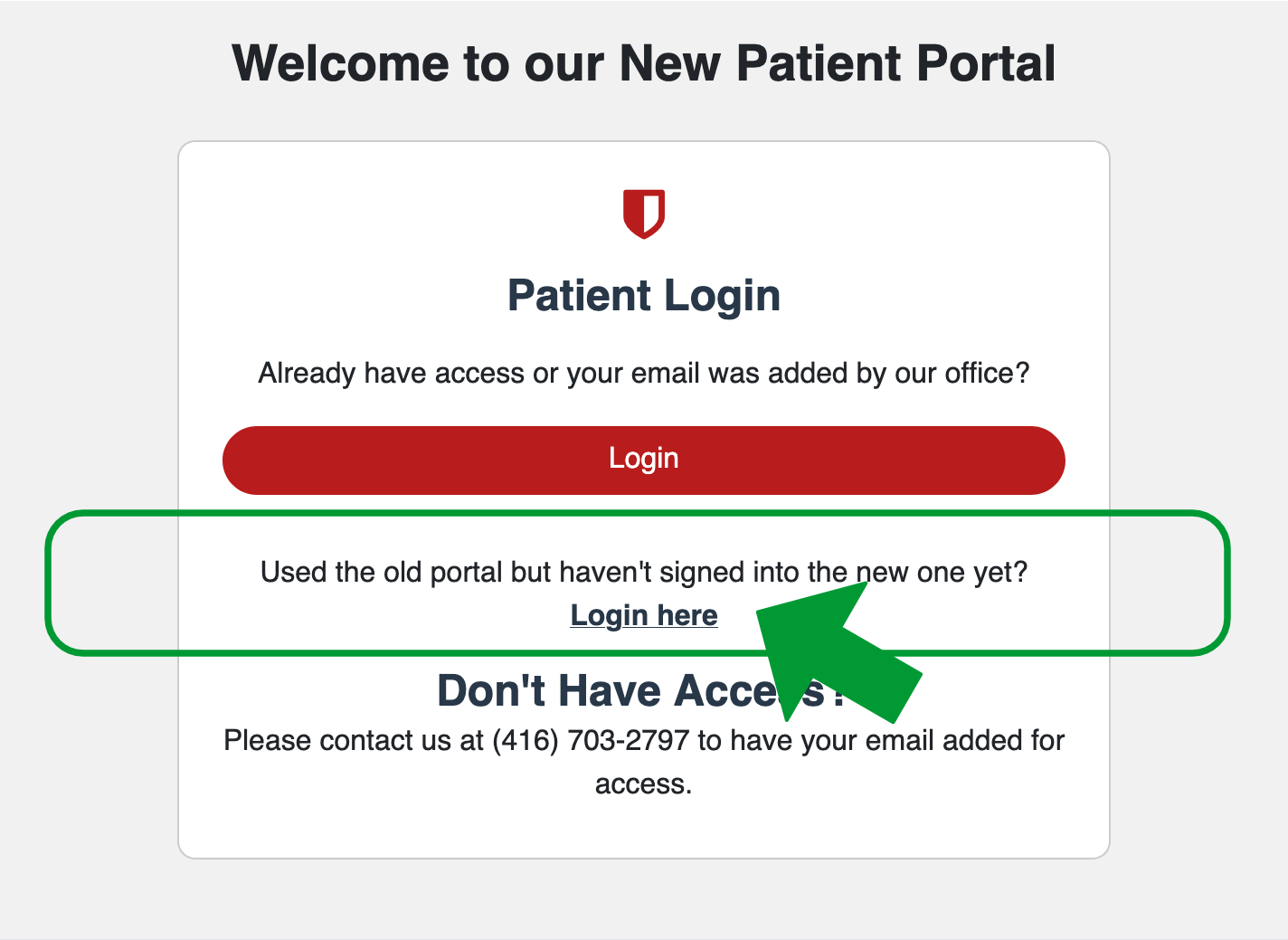
- Use the patient portal button above to open the portal.
- On the welcome screen, find "Used the old portal but haven't signed into the new one yet?" and select Login here.
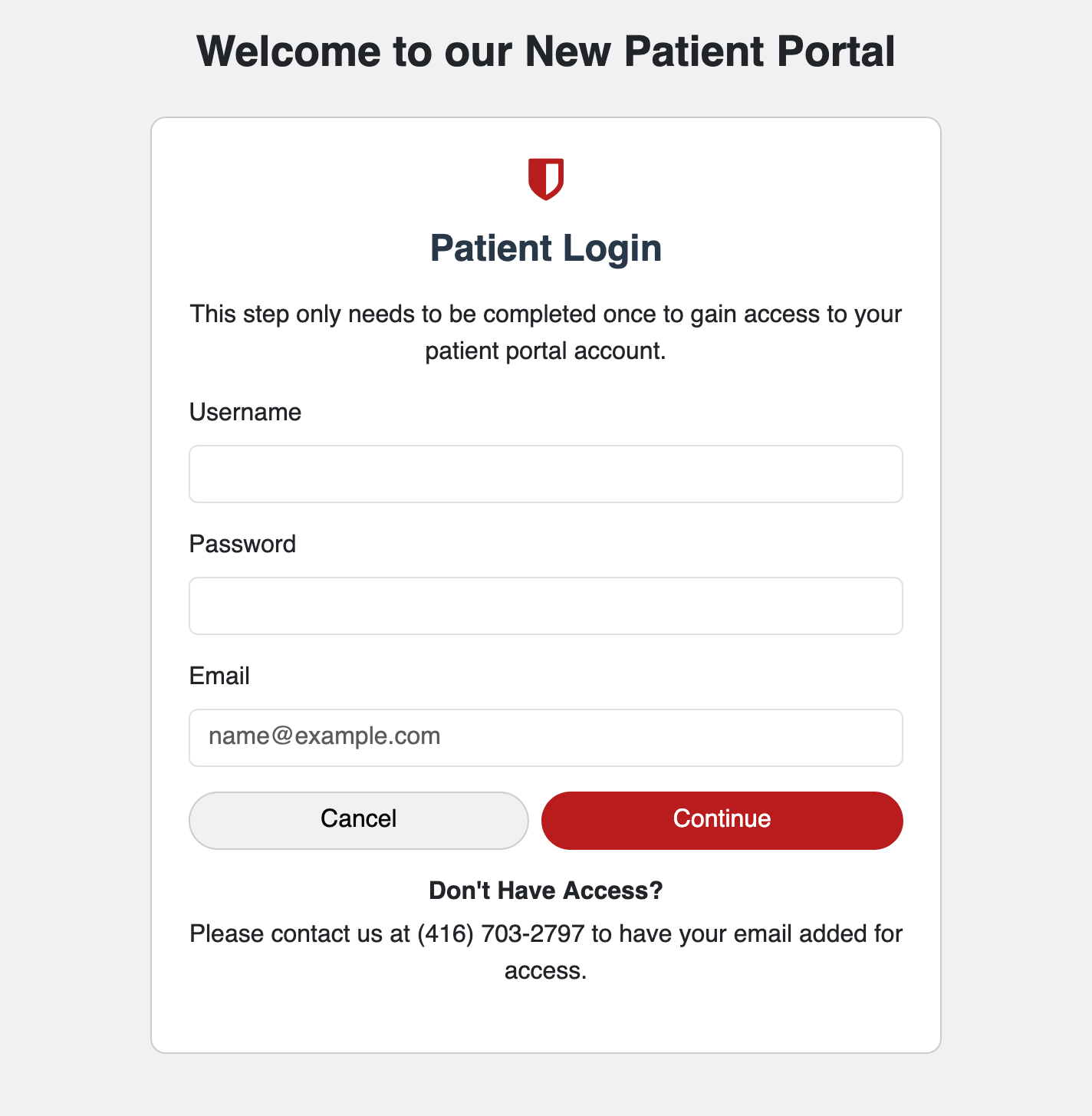
- Enter the username, password, and email from your old portal account. For most patients the username is the same as the email address.
- Select Continue. This one-time step links your records to the new portal. After that, you can use the main Login button each time.
Still stuck, can't find your old login, or not sure whether you have an account? Call or text us at 416-703-2797 and we will sort it out.
Not sure which to pick, or prefer to talk to someone? Call or text us at 416-703-2797.